

What can Customers do in the Portal?
Payment Method Management
Customers can add and manage their payment methods directly from the Customer Portal. The available payment methods depend on what has been configured in Settings > Payment Methods for the invoicing entity. For example, if Stripe is configured to accept credit cards, Customers will be able to enter their credit card information in the Customer Portal. However, the payment method that will actually be used to process payments is determined by the payment method strategy set at the Subscription level. For example, even if a Customer adds a credit card in the Customer Portal, it will not be used if the Subscription is configured to use bank transfer. 💡Note: When a Customer adds a new payment method of a given type (for example, a new credit card), it automatically becomes the default payment method for that type and will be used for future payments when that payment method is selected at the Subscription level. This is particularly useful when a Customer needs to update an expired or replaced card.Update Billing Details
Customers can update directly in the Portal their billing info (email, billing adress, tax number…). They updated information are automatically reflected in Meteroid and applied to future invoices.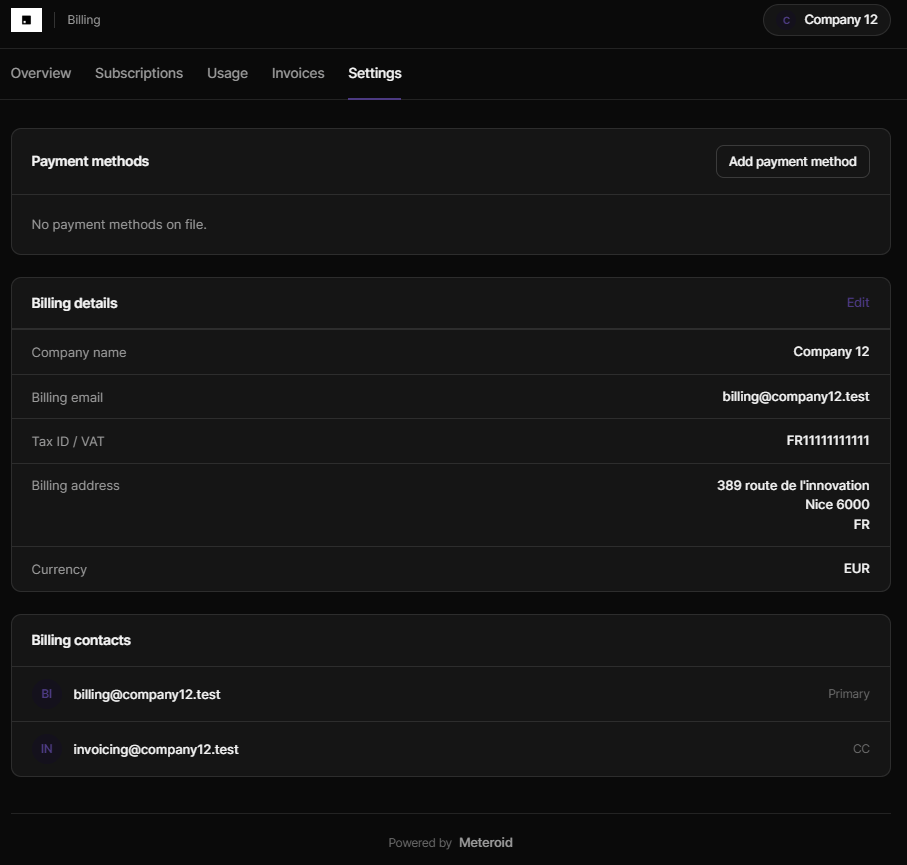
Manage & Pay Invoices
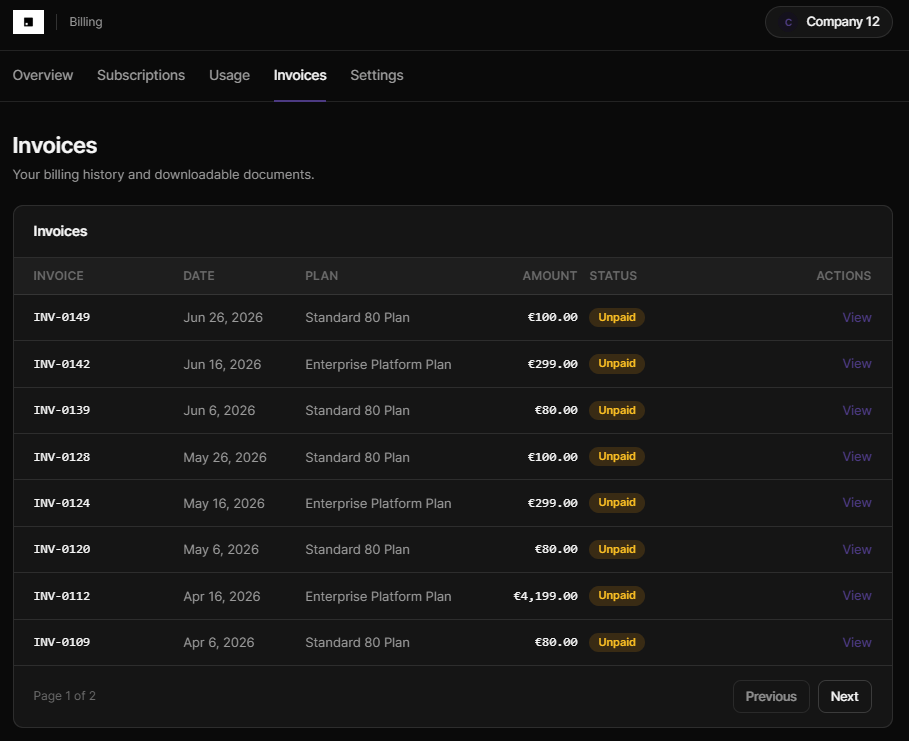
Customers can view and download their past invoices with their payment status. If the invoices have not already been paid, they can pay them using the pre-defined payment method:- If the subscritpion payment method has been set to “Online (card/direct debit)”, Customers will be able to update their card / account informations
- If the subscritpion payment method has been set to “Bank transfer”, Customers will access the bank details set in settings > Payment methods
Upgrade/downgrade their subscriptions and buy Add Ons
In the subscription section, clicking “Manage” and then “Change Plan”, End Users can upgrade/downgrade their subscription in full autonomy.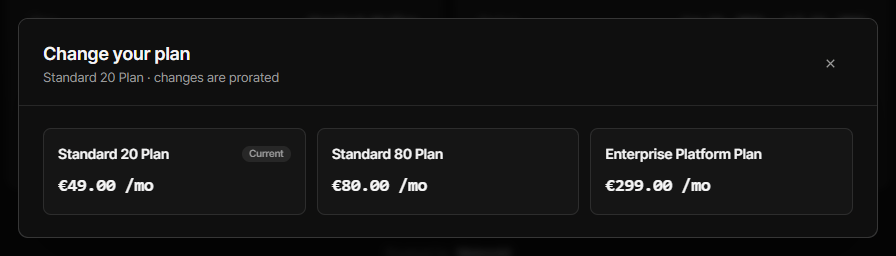
- downgrades take effect at the end of the current billing period (no credits).
- upgrades take effect immediately. A prorated invoice is immediately issued including credit for the former plan and charge for the new one.
Portal Customization
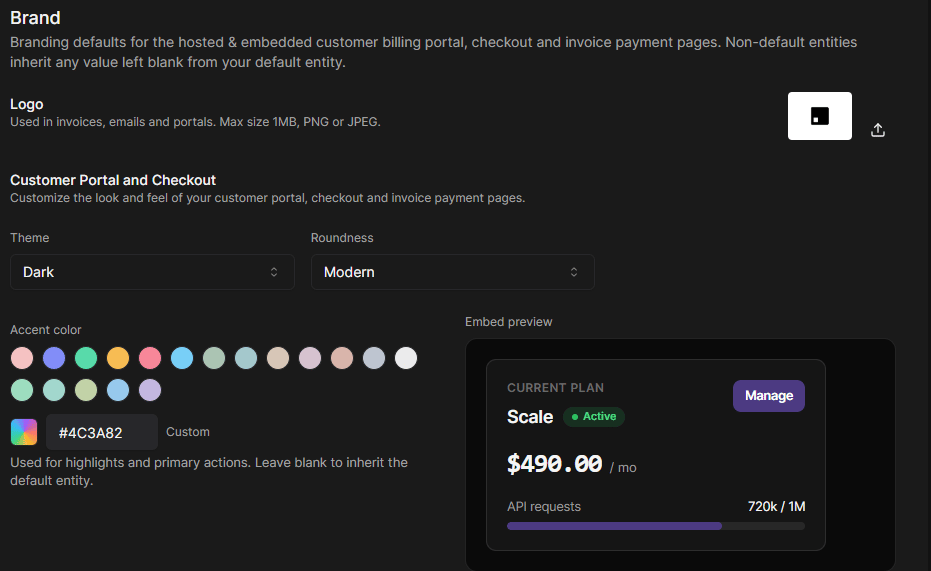
You can customize the look and feel of your Customer Portal to match your brand identity and provide a consistent experience for End Users. Branding is configured per invoicing entity from the Settings > Branding section (see Branding), and applies to the hosted portal, the embedded components, and the checkout page:- Logo — appears in the portal header, on the checkout page, and on invoices.
- Brand / accent color — the primary color used for buttons, links, and highlights.
- Theme mode —
LightorDark. - Corner roundness —
Sharp,Modern, orRounded.
Integrating the Customer Portal
You can bring the Customer Portal into your own product in two ways:- Hosted portal — redirect Customers to a full-page portal hosted by Meteroid.
- Embedded components — embed the whole portal, or individual widgets (invoices, current plan, payment methods, usage…), directly inside your application.
Generating a portal token
Generate a token for a Customer from your backend using your tenant API key. Never expose your API key in the browser — mint the token server-side, then hand it to your frontend.integer
default:"86400"
Token lifetime in seconds. Optional — defaults to 24 hours. Must be
between
60 (1 minute) and 2592000 (30 days).customer_id_or_alias path segment accepts either the Meteroid Customer ID or the Alias (External ID) you assigned. See the API reference for the full schema.
Hosted portal (redirect)
The simplest integration: build a portal URL with the token and send the Customer to it (a link, a redirect, or a new tab).&theme=light).
Embedded UI components
Instead of sending Customers away, embed the portal — or a single widget — inside your own app. Embedding is driven by one query parameter,?embed=, which selects what to render:
Available embed views
If
embed is omitted (or set to an unknown value), the full portal is rendered.
Appearance and behavior parameters
Every embed view accepts the following optional parameters. Precedence is URL parameter → your portal branding (Settings > Branding) → Meteroid default, so a parameter always wins when present.Color parameters accept hex only (
#RGB or #RRGGBB). Values that don’t
parse are ignored and fall back to your branding, then the default.Adding the embed to your app
- Embed script (no build step)
- React (SOON)
- Plain iframe
Drop the Meteroid embed script into your page and describe the widget with Prefer to mount it yourself? The script also exposes a global:
data-* attributes. The script auto-mounts every matching element and keeps the frame sized to its content.Auto-resize. The embedded portal reports its height to the parent window via a
postMessage of { type: 'meteroid:resize', height }. The embed script and React component handle this automatically; with a plain iframe, add the listener shown above. When you pass an onNavigate handler, in-widget links post { type: 'meteroid:navigate', target } instead of opening a new tab, so navigation stays inside your app.