

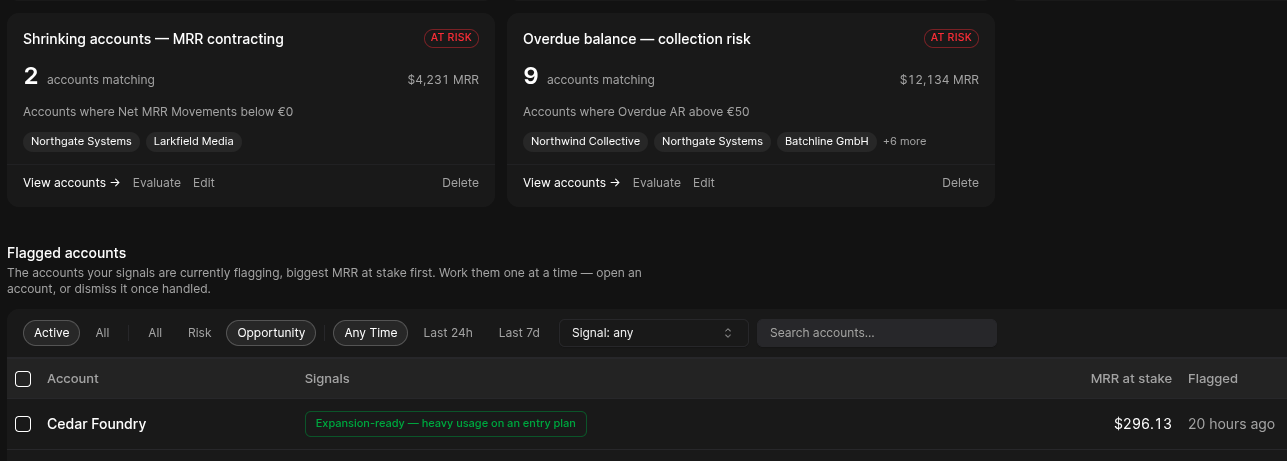
Momentum board
At the top of the page, the Momentum board is always on and needs no configuration. It shows two columns computed from your revenue movements:- Slipping — accounts whose MRR is contracting.
- Expanding — accounts whose MRR is growing.
Signals
A Signal is a watch on a customer segment that produces a live, actionable roster. Instead of firing once, a signal tracks membership over time: one alert per customer as they enter the segment, resolved when they leave—so the signal’s roster is always the current worklist. Create one with New signal:- Name
- Type — Risk or Opportunity (this controls where it surfaces and how it’s colored).
- Segment — a saved segment, or an inline cohort defined on the spot.
- Usage lookback — the window usage predicates evaluate over: 7, 14, 30, 60 or 90 days (default 30).
- Deliver to — notification channels.
Signal roster (detail)
Opening a signal shows the actionable roster:- Stat tiles — In segment now, MRR at risk / Expansion MRR, Entered this week, Median time in segment.
- Member table — each customer with their MRR, 30-day MRR change, and how long they’ve been in the segment; every row links to the customer.
- Export CSV — hand the roster to your CRM or a campaign.
- Definition & recent membership — what the signal watches, and who recently entered or left.