

The Credit tab
Each customer’s credit is on their page, in the Credit tab. A wallet shows:- the balance, with + Add credit and the wallet settings (gear icon)
- the usage of the current billing period, with a projection, and the automatic top-up
- credit usage by metric, and the Activity (exportable as CSV), Grants and Summary tabs
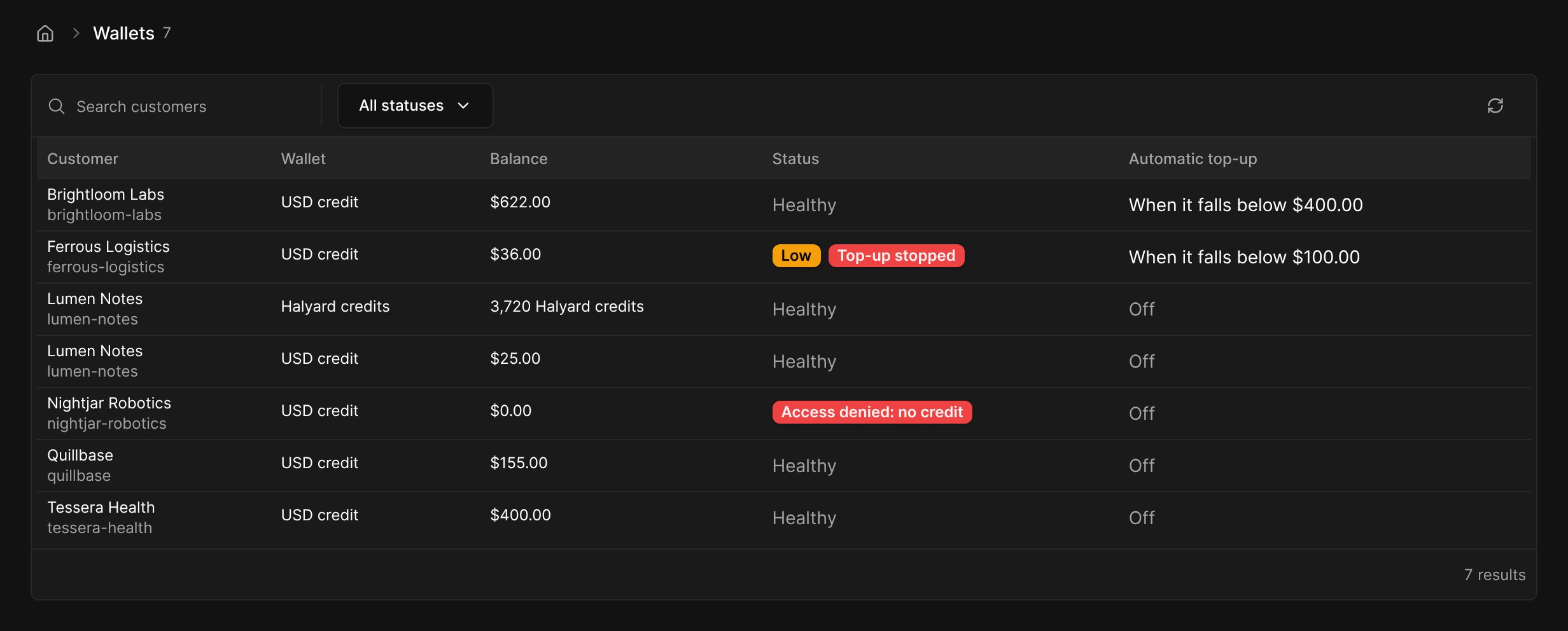
Where credit comes from
Adding credit by hand
On the wallet, click + Add credit and choose a Type:- Free credit: goodwill or promotional credit, applied before tax like a discount. Use it to compensate an outage or as a commercial gesture.
- Account balance: money you already received outside Meteroid (wire, cheque…), applied after tax. It can pay any charge, on any subscription. A payment reference is required for French invoicing entities.
- Sell credit: charge the customer now or send them an invoice. See Top-ups.
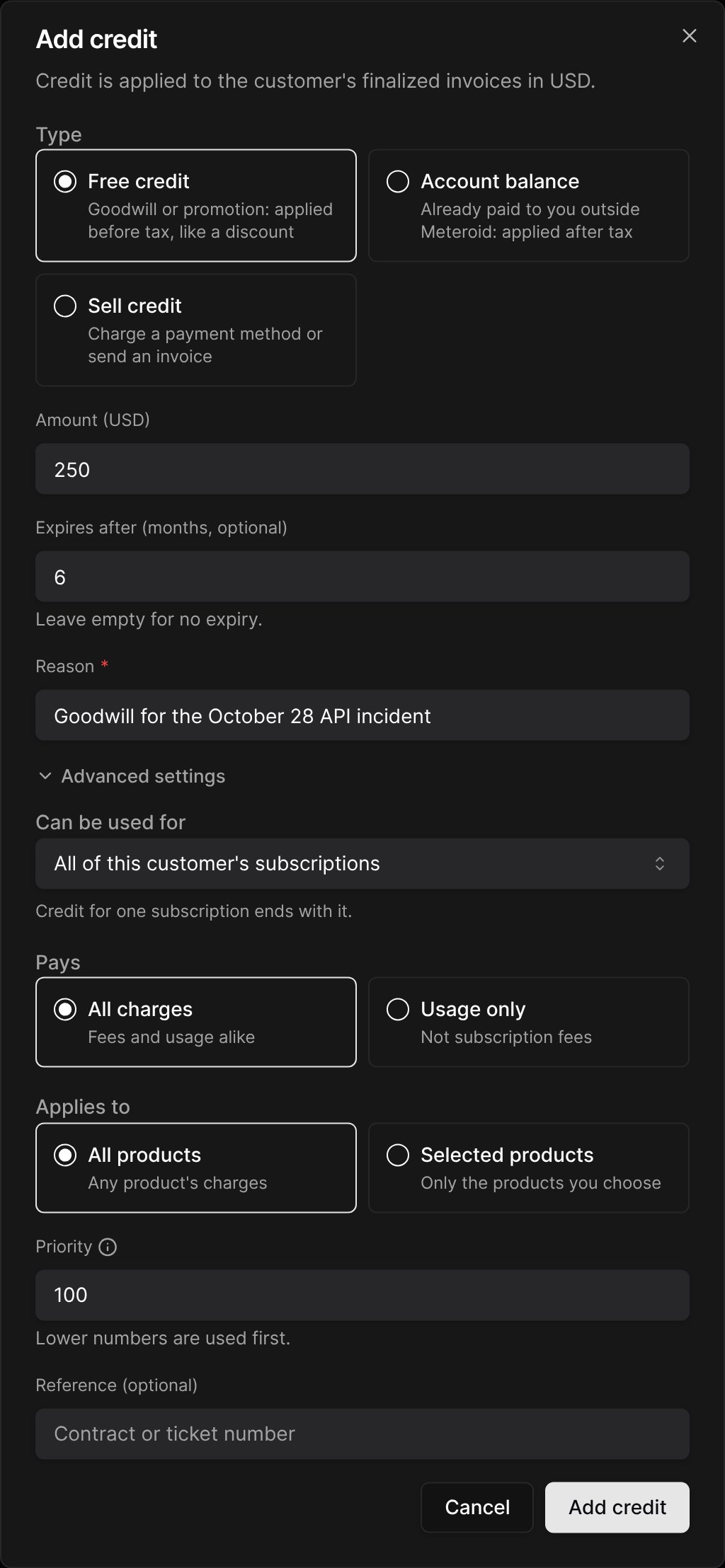
The Reason is shown in your ledger only, never to the customer.
Order of consumption
When an invoice is finalized, credit is used in this order:- Promotional before paid (money wallets): promotional credit comes off before tax, paid credit then pays the taxed total.
- Most specific first: credit for that subscription, then credit restricted to products, then usage-only credit, then credit for any charge.
- Lowest priority number.
- Soonest to expire. Credit that never expires goes last.
Expiry
When a grant expires, the usage it could pay that is not invoiced yet is paid from it first, so credit is never lost to invoice timing. What remains then expires. Credit that belongs to a subscription (plan credit, welcome credit, credit scoped to it) pays its usage up to the end of the subscription, then ends with it. Customer-wide credit is not affected.Removing credit
Only credit added by hand can be removed, and only its unspent part: open the grant in the Grants tab, click Remove, then enter an amount and a reason. Grants cannot be edited: to correct one, remove it and add it again. Purchased credit is reversed with a refund instead (below).Credit notes and refunds
- A credit note returns the credit that paid the credited lines to the grants that paid them. Choose Apply as customer credit to turn the money part into customer credit that never expires.
- Refunding purchased credit: issue a Refund credit note on the invoice that sold the credit. Only the unspent credit is refunded: a customer who bought $1,000 of credit and used $620 gets $380 back.
- Voiding an invoice returns every credit it used.
- Chargebacks and refunds made at your payment provider take back the unspent credit the payment bought. A refunded or disputed top-up also stops the automatic top-up.
Several subscriptions: usage filters
A customer can hold several subscriptions billing the same metric, e.g. one per team or per API key, each with its own credit. Set a Usage filter on each subscription (a property and an exact, case-sensitive value, e.g.api_key = key-A, under Advanced Settings when creating the subscription) so that each subscription bills, and spends credit on, its own events only.
A subscription without a usage filter bills the events that no other subscription’s filter matches.