

Adding a credit pack
In the plan editor, add a component and choose the fee type Credit pack.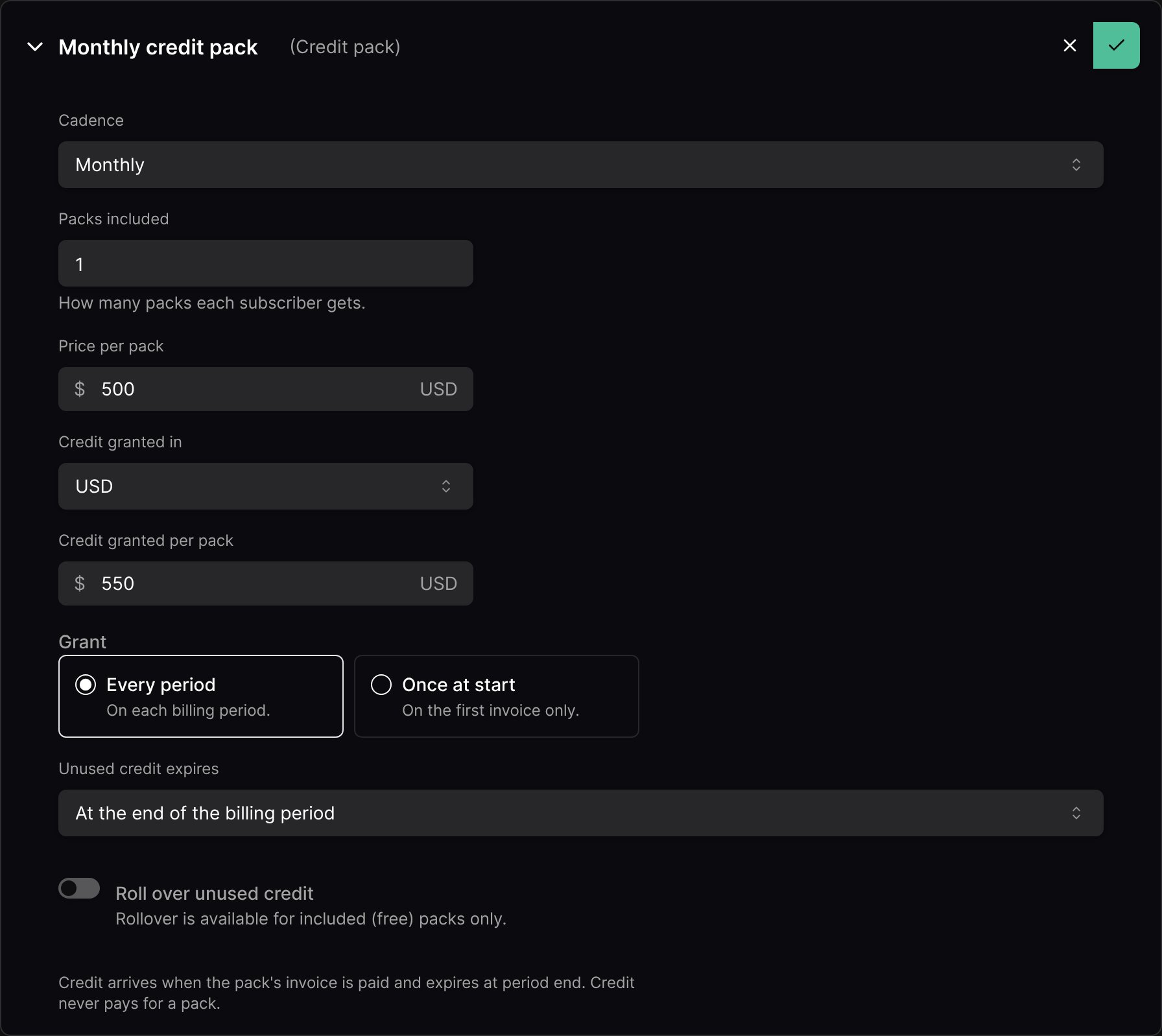
Plan credit belongs to its subscription: it pays that subscription’s usage only, and ends with it.
Paid and included packs
Until a paid pack’s invoice is paid, the subscription shows the credit as waiting on that payment. Credit never pays for a pack: the pack fee is always collected in money.
Bonus credit
A money pack priced below the credit it grants adds two parts: paid credit worth its price, and bonus credit for the rest. A $500 pack granting $550 adds $500 of paid credit and $50 of bonus credit (shown as “+10% bonus” on the plan). Bonus credit is promotional: it is used first and comes off before tax.Welcome credit
A pack granted Once at start, priced at 0, is welcome credit: granted on the subscription’s first invoice, kept across plan changes, and never granted twice to the same subscription.Rollover
Included packs granted every period can carry their unused credit over once:- Most credit carried per pack: an optional cap. Leave it empty to carry everything left.
- Rolled credit expires: a number of days or months after the original expiry.
When credit runs out
By default, a plan with a credit pack denies access at zero. See When credit runs out.Plan changes and cancellation
- Mid-period start: packs that reset each period (granted every period, expiring at the end of the billing period) are prorated, fee and credit alike. Welcome credit is granted in full.
- Immediate plan change or cancellation: usage up to the change is paid from the old pack first. The old pack’s fee is then credited for the unused days, up to its unused credit, and that credit is removed. The new plan’s pack is prorated.
- Packs with any other expiry are treated as purchases: never prorated or credited back. They are kept across plan changes and end with the subscription.
A recurring paid pack counts in MRR at its price. Included and once-at-start packs don’t. Packs never count toward a minimum commitment.